


Buying a home is likely the largest financial decision you’ll make, and in Virginia’s varied markets, from Short Pump and Glen Allen to Fredericksburg, Virginia Beach, and Charlottesville, the numbers can shift dramatically depending on location, loan type, and lender. A good mortgage calculator helps you pressure-test those numbers before you’re sitting at a closing table.
The problem is that most calculators stop at basic principal-and-interest math. The real monthly payment picture includes property taxes, homeowners insurance, PMI, HOA dues, and sometimes Virginia-specific costs like recordation taxes and intangible taxes that vary by locality. A calculator that skips those line items can leave you hundreds of dollars off on your monthly budget.
The tools below were selected based on accuracy, ease of use, advanced features (refinance, HELOC, amortization, breakeven analysis), and relevance to Virginia homebuyers. Some connect to live rate quotes; others are standalone estimation tools. Both have their place depending on where you are in the process. You can also explore The Mortgage Ally’s home loan calculator and learn more about which mortgage calculator gives the most accurate results.
Article by Duane Buziak, Mortgage Maestro, NMLS#1110647
1. The Mortgage Ally Calculator
Best for: Virginia buyers who want calculator results connected to live wholesale lender rate quotes
The Mortgage Ally is a Virginia-based mortgage broker calculator that connects payment estimates to real rate scenarios from hundreds of wholesale lenders.

Where This Tool Shines
Most calculators give you an estimate and leave you to figure out the rest. This one goes a step further: the calculation connects directly to a NoTouch Credit pre-qualification process, meaning you can explore real rate scenarios without triggering a hard credit inquiry on your credit report. That matters when you’re still in the comparison-shopping phase and don’t want your score dinged.
The tool uses Vantage Score 4.0, which can be more inclusive for borrowers with thin or non-traditional credit histories. It also covers purchase, refinance, cash-out refi, and HELOC calculations, making it useful across multiple stages of homeownership, not just the initial purchase.
Key Features
NoTouch Credit Pre-Qualification: Get real rate scenarios with no hard credit inquiry, protecting your credit score during early exploration.
Vantage Score 4.0 Integration: Uses a modern scoring model that may better reflect your actual creditworthiness.
Hundreds of Wholesale Lenders: Shops live rate scenarios across a wide lender network rather than showing a single institution’s rates.
Multiple Calculator Types: Covers purchase, refinance, cash-out refi up to 90% LTV, and HELOC scenarios in one place.
State Coverage: Serves Virginia, Florida, Tennessee, and Georgia borrowers.
Best For
Virginia homebuyers and homeowners in Richmond, Chesterfield, Midlothian, Henrico, Fredericksburg, Williamsburg, Virginia Beach, and surrounding areas who want to move from a payment estimate to an actual pre-qualification without the credit hit. Also well-suited for real estate investors exploring DSCR or cash-out refinance scenarios.
Pricing
100% free. No cost to use the calculator, run rate scenarios, or get pre-qualified. No obligation attached.
2. Bankrate Mortgage Calculator
Best for: Buyers who want a detailed amortization breakdown and extra payment modeling
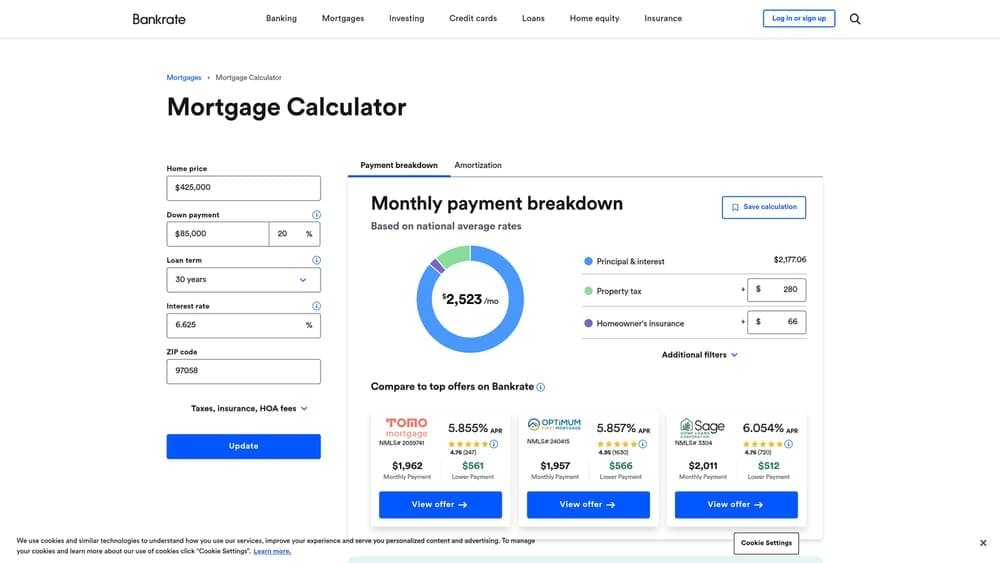
Bankrate’s mortgage calculator is one of the most comprehensive standalone tools available, covering amortization, extra payments, and built-in tax and insurance estimators.
Where This Tool Shines
Bankrate’s calculator is particularly strong for homeowners who want to model the impact of making extra principal payments. You can see exactly how much interest you’d save and how many months you’d shave off your loan term by adding even a small amount to each monthly payment. That kind of granular modeling is useful for buyers who plan to pay down their mortgage aggressively.
The year-by-year amortization breakdown is easy to read and helps you visualize when you’ll cross the threshold from paying mostly interest to mostly principal, which is useful context for anyone evaluating whether to refinance later.
Key Features
Full Amortization Schedule: Year-by-year and month-by-month breakdown of principal versus interest payments.
Extra Payment Modeling: Shows interest savings and time reduction from additional monthly, annual, or one-time payments.
Tax and Insurance Estimators: Built-in fields for property tax and homeowners insurance so your estimate reflects total housing cost.
Side-by-Side Rate Comparison: Allows comparison of different rate scenarios in one view.
Best For
Buyers and homeowners who want to understand the full amortization picture, particularly those considering accelerated payoff strategies or evaluating the long-term cost of different loan terms.
Pricing
Free. No account or registration required.
3. NerdWallet Mortgage Calculator
Best for: First-time homebuyers who want context and education alongside the numbers
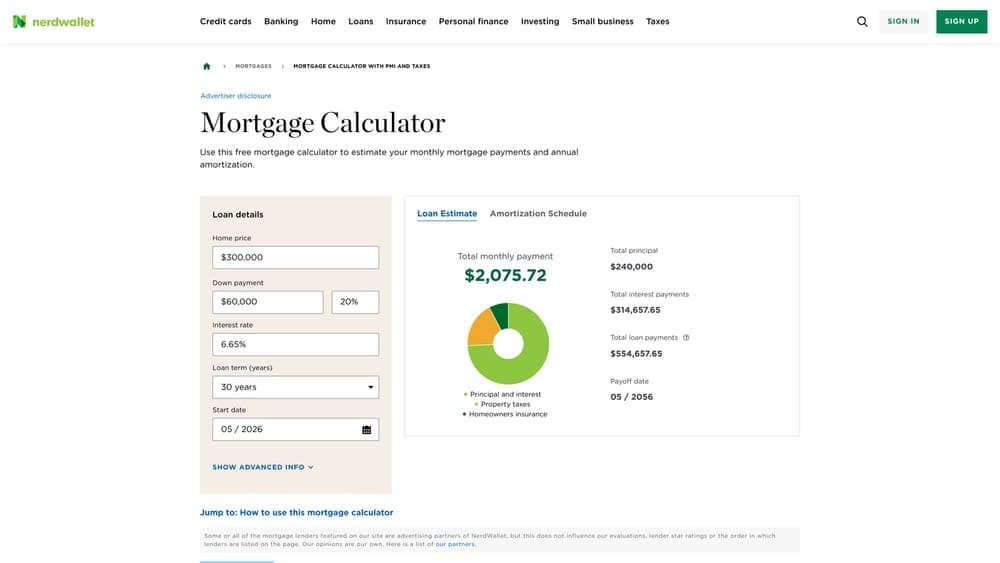
NerdWallet’s mortgage calculator is built with the first-time buyer in mind, offering explanatory context for each input and connecting to affordability and refinance breakeven tools.
Where This Tool Shines
What separates NerdWallet’s calculator from most is the contextual guidance built into the interface. Each input field includes an explanation of what it means and why it matters, which is genuinely helpful if you’re not yet fluent in mortgage terminology. It treats the calculator as an educational experience, not just a computation tool.
The refinance breakeven tool is worth highlighting specifically. You enter your current loan details and the proposed new loan, and it calculates how many months it will take to recoup your closing costs through the monthly savings. For Virginia homeowners considering a refinance, this is one of the clearest breakeven tools available in a free, consumer-facing format.
Here is an example of how refinance breakeven math works:
Refinance Breakeven Example:
Current monthly payment: $1,850 | New monthly payment: $1,650 | Monthly savings: $200
Total closing costs: $4,800 | Breakeven calculation: $4,800 ÷ $200 = 24 months
If you plan to stay in the home longer than 24 months, the refinance makes financial sense. If you plan to sell or move sooner, the upfront cost may not be worth it.
Key Features
Built-In Affordability Calculator: Helps you estimate how much home you can afford based on income, debts, and down payment.
Refinance Breakeven Analysis: Calculates months to recoup closing costs from a refinance, with clear math shown.
Contextual Input Explanations: Every field includes a plain-language explanation of what the number means.
Loan Type Comparisons: Allows side-by-side comparison of conventional, FHA, and VA loan payment scenarios.
Best For
First-time buyers in Virginia who want to understand the inputs, not just the output. Also strong for homeowners evaluating whether a refinance pencils out financially.
Pricing
Free. No registration required.
4. Zillow Mortgage Calculator
Best for: Active home shoppers who want payment estimates tied directly to specific listings
Zillow’s mortgage calculator auto-populates home price and local tax data directly from Zillow’s listing database, making it the most seamless tool for in-the-moment payment estimates while browsing homes.

Where This Tool Shines
When you’re browsing Zillow listings in Henrico County, Chesterfield, or Goochland and want to know what a specific home would actually cost per month, Zillow’s calculator eliminates the step of copying numbers over to a separate tool. The listing price, estimated property taxes, and HOA dues (when available) populate automatically.
This is particularly useful in Virginia markets where property tax rates vary significantly by locality. Henrico County, Chesterfield County, and the City of Richmond all carry different effective tax rates, and Zillow’s local data estimates help account for that variation, though you should always verify with the locality directly before making financial decisions.
Key Features
Auto-Populated Listing Data: Pulls home price and estimated property taxes directly from Zillow listing pages.
Local Property Tax Estimates: Uses locality-level tax data rather than national averages.
PMI and HOA Fields: Includes both PMI and HOA dues in the monthly payment estimate.
Mobile-Friendly Interface: Works cleanly on mobile, which matters when you’re touring homes and running numbers on the go.
Best For
Buyers who are actively browsing listings and want quick, listing-specific payment estimates without switching between tools. Useful for comparing payment scenarios across different neighborhoods in Virginia.
Pricing
Free. Available on Zillow’s website and mobile app.
5. Realtor.com Mortgage Calculator
Best for: Buyers comparing payments across Virginia counties with different tax rates
Realtor.com’s mortgage calculator integrates county-level property tax data and connects directly to listing pages, making it a strong tool for cross-neighborhood payment comparisons.

Where This Tool Shines
Realtor.com’s calculator is particularly useful when you’re comparing homes in different Virginia localities. A home in Spotsylvania County versus one in Stafford County might carry meaningfully different property tax burdens even at similar purchase prices. The county-level tax data built into Realtor.com’s tool helps surface those differences early in the process.
The down payment percentage slider is a small but practical feature. Rather than entering a dollar amount and recalculating, you can slide between 3%, 5%, 10%, and 20% down and instantly see how the payment and PMI change. That kind of visual feedback helps buyers understand the real cost of a smaller down payment.
Key Features
County-Level Tax Data: Uses locality-specific property tax estimates rather than broad regional averages.
Down Payment Percentage Slider: Visual slider allows instant comparison of different down payment scenarios.
PMI and HOA Fields: Includes both in the monthly payment total.
Listing Page Integration: Calculator is embedded directly in Realtor.com property listings.
Best For
Virginia buyers comparing homes across county lines, particularly in markets like the Fredericksburg region (Spotsylvania, Stafford, Caroline County) where tax rates vary by locality and can meaningfully affect the monthly payment.
Pricing
Free. No registration required.
6. Rocket Mortgage Calculator
Best for: Buyers who want a clean, fast estimate and are open to applying through a single direct lender
Rocket Mortgage’s calculator is a streamlined, well-designed tool that transitions directly into Rocket’s online mortgage application, making it one of the smoothest calculator-to-application experiences available.
Where This Tool Shines
Rocket Mortgage has invested heavily in user experience, and it shows. The calculator is clean, fast, and intuitive. If you’re the type of buyer who wants to go from “let me see what this costs” to “I want to apply” in a single session, Rocket’s tool makes that transition frictionless.
The important distinction to understand is that Rocket is a direct lender. The rates shown in their calculator reflect Rocket Mortgage’s own product offerings, not a marketplace of competing lenders. That’s not a flaw, but it’s worth knowing: you’re seeing one institution’s pricing, not a competitive landscape. For comparison purposes, it’s worth running the same scenario through a broker-connected tool to see how the numbers stack up.
Key Features
Seamless Application Flow: Calculator transitions directly into Rocket’s online application with no data re-entry.
Clean Interface: Minimal, intuitive design that works well for users who want speed over complexity.
Purchase and Refinance Scenarios: Covers both use cases within the same tool.
Single-Lender Pricing: Rates reflect Rocket Mortgage’s own offerings; not a multi-lender comparison.
Best For
Buyers who have already done their comparison shopping and are ready to move quickly with a direct lender. Less useful as a rate-comparison tool since it reflects only Rocket’s own pricing.
Pricing
Free to use. Rocket Mortgage is a direct lender; their rates are their own, not drawn from a wholesale marketplace.
7. Veterans United Mortgage Calculator
Best for: Military veterans and active-duty service members evaluating VA loan payment scenarios
Veterans United’s mortgage calculator is built specifically for VA loan scenarios, with a VA funding fee calculator and zero-down-payment modeling built directly into the tool.

Where This Tool Shines
For veterans and active-duty military in Virginia, particularly in Hampton Roads, Newport News, Yorktown, and the broader Tidewater area with its significant military presence, the VA loan is often the most powerful financing option available. It eliminates PMI entirely, allows zero down payment, and typically carries competitive rates. Veterans United’s calculator is built around those specific parameters.
The VA funding fee calculation is the standout feature. The funding fee varies based on down payment amount, whether it’s a first or subsequent use, and whether the borrower has a service-related disability exemption. Most general calculators ignore this entirely. Veterans United’s tool accounts for it, which produces a more accurate total loan cost estimate for VA borrowers.
Key Features
VA Funding Fee Calculator: Automatically calculates the correct funding fee based on loan parameters and usage history.
Zero-Down Scenario Modeling: Built specifically to handle VA loans with no down payment requirement.
No PMI Toggle: Correctly reflects that VA loans do not require private mortgage insurance.
Veteran-Specific Interface: Designed around the questions and scenarios most relevant to military borrowers.
Best For
Veterans and active-duty service members in Virginia evaluating VA loan scenarios, especially those in Hampton Roads, Newport News, Chesapeake, and other areas with large military populations. Note that like Rocket, Veterans United is a single direct lender, so their rates reflect their own product pricing.
Pricing
Free. Veterans United is a direct lender; calculator connects to their own product offerings.
8. Karl’s Mortgage Calculator
Best for: Advanced users who want granular amortization control without interface clutter
Karl’s Mortgage Calculator is a no-frills, text-heavy tool that has been around for decades and remains a favorite among financially sophisticated borrowers who want precise amortization modeling.
Where This Tool Shines
Karl’s doesn’t win any design awards, but it delivers something the polished consumer tools often don’t: precise, detailed amortization control. You can model biweekly payments, extra principal payments of varying amounts at varying intervals, and print a full amortization schedule down to the penny. For borrowers who want to run detailed payoff scenarios, it remains one of the most capable free tools available.
The biweekly payment modeling is particularly useful. Switching from monthly to biweekly payments effectively results in one extra full payment per year, which can reduce a 30-year loan term by several years and save a meaningful amount in total interest. Karl’s shows you exactly what that looks like on your specific loan.
Key Features
Biweekly Payment Modeling: Calculates the exact impact of biweekly versus monthly payment schedules on total interest and loan term.
Granular Extra Payment Scenarios: Model extra payments of different amounts at different intervals with precise results.
Printable Amortization Schedules: Full month-by-month printable schedule for record-keeping or financial planning.
Minimal Interface: Fast-loading, distraction-free tool focused entirely on computation.
Best For
Financially sophisticated borrowers, real estate investors, and anyone who wants to run detailed payoff scenarios without the interface overhead of consumer-facing tools. Not the right starting point for first-time buyers who need contextual guidance.
Pricing
Free. No account, registration, or advertising interruptions.
9. Google’s Built-In Mortgage Calculator
Best for: Instant back-of-the-envelope estimates without navigating to any website
Google’s embedded mortgage calculator appears directly in search results when you search “mortgage calculator,” delivering an instant payment estimate with zero clicks to an external site.
Where This Tool Shines
Speed is the entire value proposition here. If you’re in a conversation about a home and want to run a quick number in under ten seconds, Google’s calculator is unmatched. You don’t need to navigate anywhere, log in, or wait for a page to load. Type the search, enter the home price, and you have a monthly payment estimate instantly.
The limitation is equally clear: it’s a starting-point tool only. The inputs are minimal (home price, down payment, interest rate, loan term), and it does not account for property taxes, homeowners insurance, PMI, HOA dues, or any Virginia-specific costs. Treat it as a rough order of magnitude, not a planning number.
Key Features
Zero-Click Access: Appears directly in Google search results with no website navigation required.
Instant Calculation: Real-time payment estimate as you adjust inputs.
Simple Core Inputs: Home price, down payment, interest rate, and loan term.
Quick Starting Point: Best used for rapid ballpark estimates before moving to a more complete tool.
Best For
Anyone who needs a fast ballpark number in the moment. Not suitable for budgeting, pre-qualification, or any decision that requires accounting for the full monthly housing cost picture.
Pricing
Free. Built into Google Search.
Which Calculator Is Right for Your Situation
The right calculator depends on where you are in the homebuying process and what you need from the numbers.
First-time buyers who want education alongside the math will get the most value from NerdWallet or Bankrate. Both explain what each input means and why it matters, which helps you build a mental model of how mortgage payments work before you’re in a lender’s office.
Active home shoppers browsing listings should use Zillow or Realtor.com. The listing-integrated calculators auto-populate home price and local tax data, so you can run a payment estimate on a specific property in Midlothian, Hanover, or Chesapeake without manually transferring numbers between tabs.
Veterans and active-duty military evaluating VA loans will find Veterans United’s calculator the most accurate for their specific scenario, particularly for the VA funding fee calculation that most general tools ignore entirely.
For a quick ballpark in the moment, Google’s built-in calculator is the fastest tool available. Just remember it’s a starting point, not a planning number.
Virginia buyers who want to move from a payment estimate to actual lender pricing are best served by a tool that connects to live rate data from multiple lenders. The Mortgage Ally’s calculator connects to hundreds of wholesale lenders, includes NoTouch Credit pre-qualification with no hard credit inquiry, and serves buyers and homeowners across Virginia, Florida, Tennessee, and Georgia. You can explore loan options, run cash-out refinance scenarios up to 90% LTV, and get pre-qualified without your credit score taking a hit.
The most important thing to understand about any calculator is that it produces an estimate, not a commitment. Property taxes, insurance rates, HOA dues, and lender fees all vary. A pre-qualification with a licensed mortgage broker gives you real numbers based on your actual credit profile, income, and the specific property you’re buying. That’s the step that turns an estimate into a plan.
Ready to see what your numbers actually look like? Learn more about The Mortgage Ally’s services and get pre-qualified with no credit hit.
Legal Disclaimer: All payment estimates and rate figures shown by any mortgage calculator are for illustrative and educational purposes only. They are not a commitment to lend, a loan approval, or a guarantee of any specific rate or payment. Actual rates, payments, and loan terms are subject to change and depend on individual credit profiles, property details, loan type, and lender guidelines. Property tax and insurance estimates are approximations only; verify actual amounts with the relevant Virginia locality and your insurance provider. This content is provided for educational purposes and does not constitute financial or legal advice. Duane Buziak, NMLS#1110647. The Mortgage Ally is licensed to originate mortgage loans in Virginia, Florida, Tennessee, and Georgia.
Frequently Asked Questions
Q: Are online mortgage calculators accurate for Virginia buyers?
A: They provide useful estimates, but most use national averages for property taxes and insurance. Virginia buyers should verify actual property tax rates with their specific locality, since rates vary between counties like Henrico, Chesterfield, Spotsylvania, and Stafford. Always treat calculator output as a starting point, not a final number.
Q: Will using a mortgage calculator hurt my credit score?
A: No. Using any calculator, including The Mortgage Ally’s, does not affect your credit score. The NoTouch Credit pre-qualification process also uses a soft pull, meaning no hard inquiry is placed on your credit report during the initial exploration phase.
Q: What is the refinance breakeven point and how do I calculate it?
A: The breakeven point is the number of months it takes to recoup your refinance closing costs through your monthly payment savings. Divide your total closing costs by your monthly savings. For example: $5,000 in closing costs ÷ $200 monthly savings = 25 months to break even. If you plan to stay in the home longer than 25 months, the refinance typically makes financial sense.
Q: What does a mortgage calculator not include that affects my real payment?
A: Most calculators omit or estimate: Virginia recordation taxes, intangible taxes (which vary by locality), title insurance, lender fees, prepaid interest, homeowners association dues, flood insurance (required in some Virginia coastal areas), and property tax escrow. A full loan estimate from a licensed lender shows all of these costs.
Q: What is the difference between a broker calculator and a direct lender calculator?
A: A direct lender calculator (like Rocket Mortgage or Veterans United) shows rates from that single institution’s product menu. A broker-connected calculator (like The Mortgage Ally’s) can pull rate scenarios from hundreds of wholesale lenders, which typically produces a more competitive range of options for the borrower to evaluate.